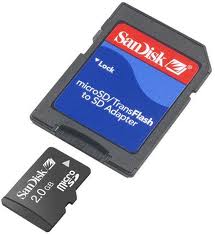
Recover Lost Password Of Memory Card(MMC,Micro SD)


Some times it happens that you forgot the password of your memory card (MMC, micro SD) and you have lots of your important data in it. and You struggle to get back your password. Right? Today am going to show you how you can recover the lost password of your memory card with the help of Nokia phone.

It is possible only if you have Nokia's s60 phone (eg: 6600, 6610, N70,N73,E63,E71,N95) The thing you got to do is download and install "Fileexplorer" software.

After installing follow the steps:


1. Open FExplorer and access the c: drive.
2. There u will find a file named 'mmcstore'
3. Rename the file to: 'mmcstore.txt'
4. The file will now open in notepad
5. U will get your password written in the notepad file

Note #1: I think only few s60 phones have microSD slots. so you got to get a MMC adapter (costs around Rs.50). fit your microSD card in it and insert the MMC in your phone.
Note #2: If you Just want to format your card (without recovery of data), then just get a microSD card reader and format it.

What Else you can do with FExplorer??
How to reset the operator logo :
1) go to the following dir :
c:\system\apps\phone\oplogo
2) delete any file in this directory
3) restart the phone
To make a screenshot on a Nokia 3650, 6600 :
1) use the pencil key + '0′
2) the screenshot is saved in C:\NOKIA\IMAGES\FE_img\
To make a screenshot on a SX1 :
1) use the shift key + '0′
2) the screenshot is saved in C:\NOKIA\IMAGES\FE_img\
Remember, there are some shortcuts :
<key pad 1> : copy
<key pad 2>: show path (scroll with joystick left/right)
<key pad 3>: PageUp
<key pad 4>: cut
<key pad 5>: *not yet used*
<key pad 6>: top of the list
<key pad 7>: paste
<key pad 8>: *not yet used*
<key pad 9>: Page Down
<key pad 0>: Mark / Unmark a file
<key pad *>: go to root
<key pad #>: file properties
<key pad c>: delete a file

Read Deleted SMS Messages On Any Nokia S60 Phone


hello .....
This would help all people who accidentally deleted an important sms and lost valuable    information.
Required utility:
         1) Any system explorer or file explorer program eg. Fexplorer

Step 1) Open Fexplorer
Step 2) Select drive C: or D: depending on the memory in which the Sms messages have been saved.
Step 3) For example u selected c: , Then open "system" folder.


step 4) Then in "system" folder open "mail" folder.
step 5) Then in this folder u will see different folders (eg 0010001_s) and certain files (eg 00100000).
These files are the actual messages.
Browse through every folder and open all files till u get the sms u are looking for.
Step 6) For opening the files don't choose options>file>open as it will show format not supported rather choose options>file>hex/text viewer.
By selecting the "Hex/ text viewer" u ll be able to open and read the deleted SMS message

Try this...

Nokia Symbian Secret Codes


Some useful secrete codes for NOKIA Phones


On the main screen type

*#06# for checking the IMEI (International Mobile Equipment Identity).

*#7780# reset to factory settings.
*#67705646# This will clear the LCD display (operator logo).
*#0000# To view software version.


*#2820# Bluetooth device address.
*#746025625# Sim clock allowed status.
*#62209526# – Display the MAC address of the WLAN adapter.
    This is available only in the newer devices that support WLAN
     #pw+1234567890+1# Shows if sim have restrictions.
*#92702689# – takes you to a secret menu where you
     may find some of the information below:
   1. Displays Serial Number.
   2. Displays the Month and Year of Manufacture
   3. Displays (if there) the date where the phone was purchased (MMYY)
   4. Displays the date of the last repair – if found (0000)
    5. Shows life timer of phone (time passes since last start)


*#3370# – Enhanced Full Rate Codec (EFR) activation.
  Increase signal strength, better signal reception.
  It also help if u want to use GPRS and the service is
  not responding or too slow.
  Phone battery will drain faster though.
*#3370* – (EFR) deactivation. Phone will automatically restart.
  Increase battery life by 30% because phone receives
  less signal from network.
*#4720# – Half Rate Codec activation.
*#4720* – Half Rate Codec deactivation. The phone will automatically restart
   If you forgot wallet code for Nokia S60 phone,
   use this code reset: *#7370925538#
   Note, your data in the wallet will be erased.
   Phone will ask you the lock code.
   Default lock code is:
   12345Press *#3925538# to delete the contents and code of wallet.
   Unlock service provider: Insert sim, turn phone on and press
   vol up(arrow keys) for 3 seconds, should say pin code.
   Press C,then press * message should flash, press * again and  04*pin*pin*pin#*#7328748263373738# resets security code.
Default security code is 12345


Increase your Utorrent speed by 80%


If you don't have U torrent, Download it from her.
Remember to increase torrent s


peed please disable firewall before you use it. Now Open it up and follow these screenshots tutorial


Checked use additional upload slots if upload speed < 90% and follow the value setting like screenshot.


Checked for enable dht network, enable dht for new torrent, enable local peer discovery, ask tracker for scrape information, enable peer change, allow incoming legacy connections and enable outgoing protocol encryption.


Setup net.max_halfopen to 90


That is it, You have just tweaked the speed of U torrent by 80% Remember, If the torrent has no seeds, This will not work! Enjoy.......


Format Nokia Symbian Mobiles


Nokia smart phones are mostly built on Symbian platform.If your Nokia phone is giving you a lot of trouble like hanging over and again,restarting or a virus which is making your phone to do some crazy stuff. The best solution to get rid of all these problems is to forma your phone.For Nokia Symbian phones there are two type of formats.


1.Soft Format
2.Hard Format
We recommend you to first go for a soft format and if your problem is not solved then go for a hard format.
Precautions Before You Go For Any Format :
1.Back up all of your data and contacts.You can use Nokia PC suite to do so.
2.Make sure that your phone battery is full.
3.Do not switch of your phone while phone is performing a format.
Now here is a step by step complete tutorial with all the tips and tricks on how to format Symbian mobile phones
Soft Format:This will erase all the data in the internal drive.

1.To perform you have to close any background application if running.
2.Enter *#7370# in as you enter any phone number


3.Now your phone will be formatted.All your internal data is lost.

Hard Format:Well! this might make your phone unusable if your battery get empty during this format.So first Charge your phone or put a charger because it drains a lot of battery.
1.Switch of your Nokia Symbian phone.
2.Then hold down these tree keys simultaneously.Green (call key),* key and 3 button.


3.Now Switch on your phone while holding these keys.And format will be started.
4.When the message "Formatting" appears on the screen then release these keys.
5.Wait till the format is complete. It may take a while.
Here is a complete list of Nokia phones that it might support :
5320 XpressMusic
6210 Navigator
6220 classic
6650
N78
N96

***************************************
** S60 3rd Edition, Feature Pack 1 **
(OS v9.2)
5700 XpressMusic
6110 Navigator
6120 classic
6121 classic
6124 classic
6290
E71 (320×240)
E66
E51
E90 Communicator (800×352)
N76
N81
N81 8GB
N82
N95
N95 8GB
N95-3 NAM

******************************************
** S60 3rd Edition (initial release) **
(OS v9.1)
3250 (176×208)
5500 Sport (208×208)
E61 (320×240)
E61i (320×240)
E62 (320×240)
E50
E65
N71
N73
N77
N91 8GB (176×208
) N92
N93
N93i
E60 (352×416)
E70 (352×416)
N80 (352×416)

*******************************************
** S60 3rd Edition **
(OS v9.1)
N75
N91 (176×208)

= = = = = = = = = = = = = = = = =
S60 2nd Edition
176×208 resolution

*************************************************
** S60 2nd Edition, Feature Pack 3 **
(OS v8.1a)
N70
N72v N90 (352×416)

*************************************

** S60 2nd Edition, Feature Pack 2 **
(OS v8.0a)
6630
6680
6681
6682

**********************************************
** S60 2nd Edition, Feature Pack 1 **
(OS v7.0s)
3230
6260
6620
6670
7610

*************************************
** S60 2nd Edition (initial release) **
(OS v7.0s)
6600

*************************************
S60 1st Edition
176×208 resolution
(OS v6.1)
3600
3650
3660
3620
7650
N-Gage
N-Gage QD

************************************************
S80 Devices

****************************************

S80 2nd Edition
(OS v7.0s)
9300i (640×200)
9300 (640×200)
9500 (640×200)

********************************************
Other Series
sometimes call S90 (in fact no S90 of Developer Platform)
(OS v7.0s)
7710 (640×320)
(OS v6.0)
9210c Communicator (640×220)
9210i Communicator (640×220)
9290 Communicator (640×220)


Aircel 3G Gprs Hacked By 123arena


New aircel gprs exclusively hacked by techcenterplace.blogspot.com and this trick working 100% all over India , so follow this all tricks carefully

Put this manual settings ant try


proxy Address: 208.109.128.144

port no:80

apn (access point anme):myaircelgprs / myaircelwap / pocketinternet /myaircel / aircelwap / aircelgprs (put any one of this APN.
homepage: o.facebook.com.


This trick working in kerala and TN successfully. and for your state try this Apn-myaircel or aircelwap or aircelgprs


Try this.........


Top 5 Best 10-inch Android Tablets You Must Buy in 2012

Today, we are going to provide the Top 5 Best 10-inch Android Tablets You Must Buy in this New year 2012. All these devices are loaded with high end configurations to deliver extreme performance and all this tablet will definitely satisfy all you needs without any compromise.

A lot of companies announced various tablets that are not on market even after a few months after the initial announcement. The strongest sub-niche is the 10 inch tablet, which currently features the Apple iPad 2 at the crown (its screen is actually 9.7 inches) plus a lot of Android tablets trailing it, models that look really interesting and have raised consumer’s attention to this growing segment making for a sizable percentage of the 2011 sales. 2012 is expected to see new members from the Windows 8 family, but right now the ten inch tablet niche is dominated by iOS and Android models (Honeycomb and Ice Cream Sandwich). Here's a list of best 10'inch Android Tabs.
Read more »

.

m