ClickJacking Attack: Things you must know


The latest buzz of massive spam attack on the Facebook account holders had created doubt in the minds of its users. Facebook has deployed its best men to find out the nuts. Now, as per a statement released by Facebook, stats that it has pointed those people, who were involved in the cyber attack. The statement also says about a legal action in pipeline against these spammers. Clickjacking is the most common technique used by hackers in such attacks. wherein the attacker Tricks the user into revealing confidential information and other account details required to spread the attack further.


Clickjacking is a malicious script, also known as UI Redressing which takes over the links displayed in the Internet browser for various web pages. When this happens, the user is taken to a site which is unintended when he tries to lick on that link. In other words, clickjacking simply is an embedded script or code which can click on a button that appears to perform another function, without the user’s knowledge.


Sometimes a user is unaware of what has just happened or in some case, a user can immediately detect it. There are a few things which everyone ought to be aware about this menace that can create havoc.
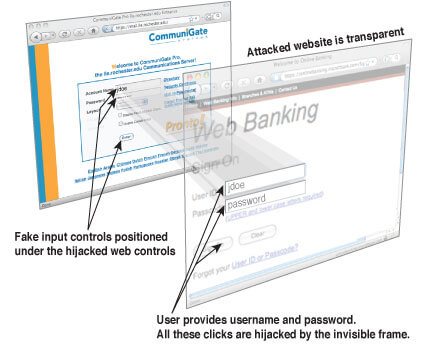
#1. Clickjacking happens when a website is embedded with a malicious program. This program apparently hovers under the unaware user's mouse, and if the user clicks the mouse on a page or link, a new web site appears or downloading of software takes place.
#2. Its a malicious script which can virtually run on any website without the owner being aware or having the ability to stop it. These attacks have been a major cause of concern for many big companies and major websites like Facebook.
#3. Making the user believe that he is on the company website, clickjacking can create a mirror site and collect personal information.
#4. Except very few browsers which are not based on graphics are immune from the clickjacking software.
#5. Clickjacking can steal personal data, like social security numbers, credit card and bank information.
#6. This malicious script can work without the knowledge of the user, install a number of software applications in a computer. They could be harmful viruses, adware or software which is more so harmful for the computer.
#7. A new clickjacking software has been disclosed which can be used to spy on your webcam and microphone in Adobe's Flash software. Adobe's Flash software is vulnerable as it enables the clickjacking to gain access of the user's microphone and webcam. While the user visits a web page, unknown to him, the target application waits invisible and loaded while it floats the invisible allow button. When the user click on the flash button, the invisible allow button receives your click actually. The Flash application is now accessed with full permission and may even stream from your microphone and webcam to a server for recording.


Here's are the few examples of this clickjacking Scams on facebook:Read more:

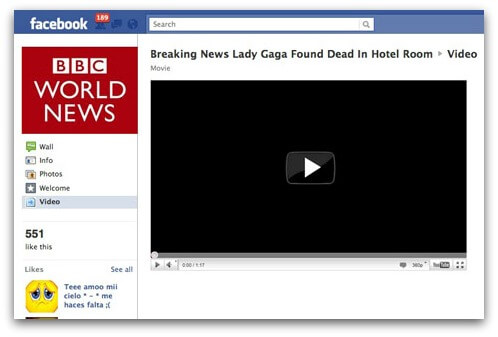
Breaking News Lady Gaga Found dead in Hotel room [video]


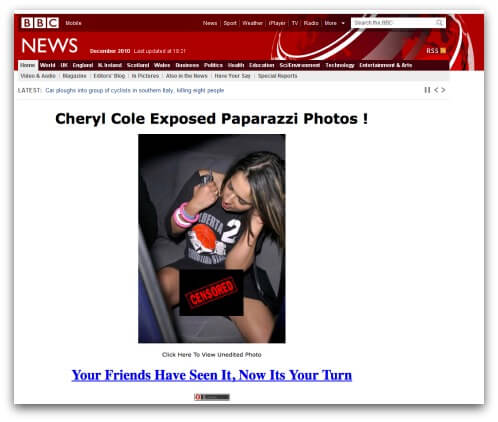
Cheryl Cole Exposed Paparazzi Photos!


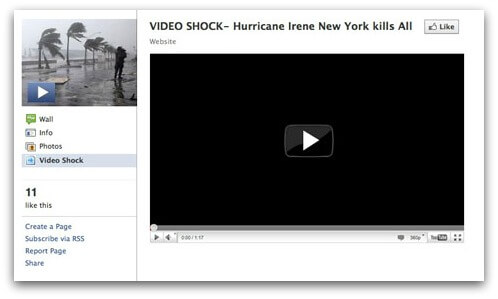
VIDEO SHOCK - Hurricane Irene New York kills All


There are not many details available about how clickjacking works. Many Security software Internet companies and browsers are working on how to counter and combat this malicious software. There is not much that can be done at this point, apart from using a text-based browser. There are some applications which can block java and script as NoScript from running on a browser. This would probably render many websites useless and internet browsing will become far more different than previously. There are some who suggests that the best way to counter clickjacking is to install the NoScript add-on of Firefox and by allowing only sites you trust to run active content.

5 Ways To Increase Windows Boot Up Speed


We All Facing Problem Of Windows Boot Up Speed. Sometimes It Take Too Long To Get PC To Load. Therefore Here I Mention All Tweaks That Increase Windows Boot Up Speed In Easy Tips And Tricks. This All Tricks Are Risk Free ! So You Can Try It Out Without Any Hesitation.


1. Decrease Startup Delay :

In This Step First Go To Start And Open Run. In Run Type msconfig And Press Enter.You Will Be See The New Window Popups. Now In This Go To BOOT.INI Tab. You Will See Timeout Option In It. Change Timeout To 5 sec From 30. And Save Settings.

2. Defragment Your Hard Drive :

Go TO Start -> Accessories -> System Tools And Choose Disk Defragment. Then Analyse The Disks And After Analyzing Is Over Click On Defrag.

3.Remove Unwanted Startup Programs :

Open your Start menu. Click Run Type msconfig, click Enter In the system configuration utility,click either services or startup tab. Uncheck all programs that your are no longer want to run in the background. It' Done...

4.Detele Temporary Files From Your PC :

Temporary Files Is Story Your Much Memory And Also Get More Processes. So We Need To Delete It Regularly. To Delete Temporary Files From Your PC, Go To Start And Open Run. In The Run Menu Type %temp% And Press Enter. Now The Folder Of Temporary Files Will Be Open. Select All Files And Delete Them. 5. Scan Disk For Fix Issues : Go To My Computer And Right Click On C: Drive. And Select Properties. A Popup Menu Will Be Open. In This Menu Navigate To Tools Tab. You Can Find Error-Checking Option Under It. Click On Check Now And Fix Essues. It's All Done....


Increase Your Internet Speed By 20%


Microsoft reserves 20% of your available bandwidth for their own purposes like Windows Updates and interrogating your PC etc
You can get it back :

Click Start then Run and type "gpedit.msc" without quotes. This opens the group policy editor.


Then go to:


–> Local Computer Policy
–> Computer Configuration
–> Administrative Templates
–> Network
–> QOS Packet Scheduler
–> Limit Reservable Bandwidth.
Double click on Limit Reservable bandwidth.


It will say it is not configured, but the truth is under the 'Explain' tab i.e." By default, the Packet Scheduler limits the system to 20 percent of the bandwidth of a connection, but you can use this setting to override the default."

So the trick is to ENABLE Reservable bandwidth, then set it to ZERO. This will allow the system to reserve nothing, rather than the default 20%. It works on Win XP, Win 7 and as well as Win 2000.


How to find the IP address of sender in YAHOO


When you receive an email, you receive more than just the message.
The email comes with headers that carry important information that can tell where the email was sent from and possibly who sent it. For that, you would need to find the IP address of the sender. The tutorial below can help you find the IP address of the sender. Note that this will not work if the sender uses anonymous proxy servers.

Finding IP address in Yahoo! Mail


1. Log into your Yahoo! mail with your username and password.
2. Click on Inbox or whichever folder you have stored your mail.
3. Open the mail.
4. If you do not see the headers above the mail message, your headers are not displayed. To display the headers,* Click on Options on the top-right corner* In the Mail Options page, click on General Preferences* Scroll down to Messages where you have the Headers option* Make sure that Show all headers on incoming messages is selected* Click on the Save button* Go back to the mails and open that mail.
5. You should see similar headers like this:Yahoo! headers : nameLook for Received: from followed by the IP address between square brackets [ ]. Here, it is 202.65.138.109.That is be the IP address of the sender!
6. Track the IP address of the sender.

Download Facebook Chat Instant Messenger for Desktop

Download Free Facebook Chat Instant Messenger(IM) Client for your Windows 7/Vista/XP Desktop PC’s, Laptops or Notebooks. Well the Facebook has officially launched their new simple application tool on the desktop which it will help the users to allow check all their events and notifications that was which received on the Facebook account without opening the browser or the explorer and you need not have to navigate to the website where you see your feeds and notifications directly to the desktop.

And the notifications which were you received on the Facebook such as the 3rd party application notifications should to be get configured by yourself on the Facebook. The security issues also be concerned where as the features like the security thread however that Facebook desktop directly do redirects the users to the respective requesting page for the permission which therefore that it shows that the client software never uses or capture the users password and the username.
Read more »


How to remove unwanted items from start menu and desktop


 Hello Friends! Have you realized that there are so many items in your start menu and desktop like Games, Default Programs,Recycle Bin etc. We generally don`t use this item so why we place in start menu. We can add items which we generally use. So here i am telling you how to hide these unwanted items form your Start Menu and desktop.


  • First Go to Run Program using Windows key + R
  • Type gpedit.msc
  • Select User Configuration --> Administrator templates

  • At the Right, Click on Start Menu and Task  Bar

Now, Choose which option do you want, like in we choose Remove Game links from start Menu
  • Double click on that option
  • Select Enable button.
  • Apply and save it. 

 
Done! Restart your windows you will not see Games Links in Start menu.


Trick to Send Free SMS via Facebook

There are lots of websites over the internet that offers free SMS (Short Messaging Service) or even anonymous SMS services. But you will be amazed to know that your all time favourite Social Networking website Facebook  also offers free sms service. You can send free SMS all around the globe for free. There is a Facebook Application ChatSMS that provides this awesome feature. The limitation of this App is that you can send only 100 character long SMS.


How to Sent Free sms via Facebook
  • Login to your Facebook Account and go to ChatsSMS Application.
  • When the Request and Permission window opens then click on Allow button.
  • In the next window select the country and country code where you want to send the SMS.
  • In the Phone Number field give your Friends mobile number and in the SMS text field type your message that you want to send.
  • After this click on Send SMS button and your SMS will be delivered within few seconds.

The sent message will contain the First name of your Facebook with your precious message.

.

m